Tuesday, August 31, 2010

Week 1

Technorati Tags:
[Abbreviated notes for the first day of class].
 
Due First Day of Class: class goals, picture of yourself, samples of your work.
Due Next week. Pendulum exercise plus rough blocking of cycle (key poses). A picture of yourself to aid my addled memory.
Just to star the semester off right, I wanted to run a few ground rules by everyone as well as help clarify goals. Not everyone’s goals are the same in each course, so please email, comment, post about what YOUR goals and interests about animation are. It’s useful to me as it helps me continue to tailor this course to you.
As this is a 2nd level course, I’m going to be focusing a LOT on weight mechanics, shot planning and workflow.  There will not be a lot of emphasis on facial subtleties, but rather on overall performance and pacing. I’d like to establish some ground rules for this course. There are a lot of critiques to get done in the allotted time and I’m going to be a stickler about a few things, else everyone suffers.
Put your work in the drop folder by the start of class.
Delays hold everyone up. If you’re going to be late, email me your assignment.  I try my best to give everyone a good crit during class, but sometimes time works agains me. I do bring work home to review and give additional critique when I can. assignments, so don’t put up a 200mb avi.  At the very least use cinepak or sorenson 3 compression. Ideally, use h.264 and playblast out 800x600. (to do this, hit playblast, go to the little box, under display size, use custom, type in 800x600 and verify your compression settings are reasonable.) If you have a site and your work posted, that’s fine too. Gmail will accept up to 20mb attachments if you email in your work.
Include your maya file. Save in .ma format, and reference your rig  into your scene.  This gives you around a 300k animation file and you can have more freedom to have  multiple versions. Place these all in a single folder with your name on it. (maya looks inside the folder for the textures
name your files:
lastname_first iniital_week #_title
i.e. coopermanj_w10_pendulum.ma
More Groundrules
  • Can you work on a shot you’re doing in another class? No. This just makes a frustrating experience for both you and the other teacher. There’s a subjective element to critiquing animation, and too many cooks..
  • Take on what you can handle. Keep within frame limits. Scale the complexity of your assignment to what you can manage in the allotted time. While I laude ambition, part of the job of an animator is to finish the work within a timeframe. Having something smaller in scale but on the road to finish is better than an animation that crashes to a halt, unfinished. You end up learning a lot about planning by working to completion.
  • Don’t sit in the back of the class and mutter the whole class. That just drives me mad. Also, I tend to notice if you’re zoning out and scouring youtube.
  • Have a backup. With dropbox, gmail, and the low cost of flash drives, there’s pretty much no excuse to forget your homework, at least, no excuse I’m usually willing to accept. If you have to miss class, email me in advance and send in your work by the following day for no grade penalty. (I have an extra gmail account I use just to send myself important files). 
  • Class participation. This dedicated class blog is a new thing I’m trying out, but I’m counting posting and comments as class participation. Critiquing is a learned skill, and one that helps YOU improve your animation, as it forces you to really be clear about how and why an animation is working. It’s also a learned skill in how to talk to people in a respectful but critical way.
For those brave souls, feel free to introduce yourself with a blog post and post some of your work.

Monday, August 30, 2010

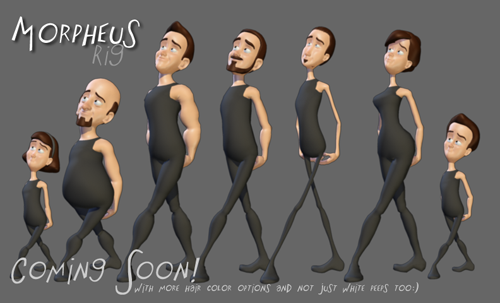
rigs


I'll post some more regarding my expectations about this class as well as my opinions about teaching and learning over the next week.  For now, I'd like to discuss rigs.

First off, I feel that the goal of creating a demo reel is different to that of creating an animation in class. For a demo reel, you have to be concerned with not only high level polish, but also presentation (lighting, composition, character design). For in class assignments, I feel it's often counterproductive. Believe me, I've had students (this has happened maybe 40 times in the past few years) not finish a basic cycle because they took too long pimping out their rig.

What I'm going to do is for some assignments, lock down the rig to something I give out. What this does is to force you to be creative within certain parameters. For other assignments, I'll open it up a bit more to custom rigs.

So in this class, there are 2 things I want to focus on:

  • Animation Quality
  • Composition

What I don't want to focus on.

  • rendering
  • lighting
  • motion blur

It's not that these aren't important, but prioritizing everything at once gets in the way of animation. What I will stress is to reference your rigs in...this way later on, you can customize them and preserve your animation for presentation. I completely understand the pressure to have a great reel...believe me, I'm constantly working on my reel too (that never ends), but often the best work comes out of a sense of freedom and fun, and not trying to pressure yourself into figuring out how to get it onto your reel. Do a lot of hard work and focus on getting your process down and level of polish high, and you'll have more great work to choose from.

all for now....

Friday, August 27, 2010

the syllabus

I’m still working out the syllabus, and this semester may be more fluid than others, and the sections might differ from each other to a minor degree. I do want to give you a heads up, as the animation 2 syllabus as found in the catalog is incorrect.
Just to keep you in the loop and better prepared for the semester, here is the list I’m culling from. It heavily references the syllabus of ‘the physics of animation’ but diverges a bit. The goal of the course is pretty simple.
  • develop a sense of weight mechanics..be able to have a character perform actions convincingly with the appropriate level of motion and detail.
  • strengthen your maya workflow for taking shots from general to specific (layout, blocking, blocking plus, first pass, cleanup, polish)
  • develop your storytelling/narrative skills
  • improve your ability for pacing and shot planning so that each piece, even if it’s 5 seconds, feels complete
  • learn basic polishing skills so that your work approaches a more finished level.
Here’s the base list I’m culling from, and will be rolling it out over the course of the semester, so be flexible as I define this further.

Animation 2: mechanics of motion
    •  object interaction (3w): examples include picking something up off the ground, lifting a box or heavy object, grabbing something off of a shelf. The spirit of this exercise is to use the full body to engage in an action (3w)
    •  pantomime exercise
    •  one or two character interaction: example...1 character angry at other -character handing out pamphlets on the street, character cooking, character building something 
    •  animating to the beats:  using a 5 second musical clip provided (e.g. Thelonius Monk), animate character movement considering and working with the texture provided by the audio. The intent of this is to better understand the tradition of using audio to animate provide a framework for your animation. From MIckey Mouse to Bugs Bunny, the history of animation is rife with great examples.
    • jump over object:the parameters of this assignment are bit more open. It could be a character leaping over a cliff or jumping parkour style, or a little boy hopping over a can. The main intent is to study anticipation, the speed and importance of breakdown frames during a physical action
    • 2 pose exercise moving hold to moving hold: making a character feel alive in 3d space is a subtle challenge. This exercise will primarily be about how a character moves from 2 emotion states in a physically convincing manner, paying attention of the speed and intensity of the breakdowns, as well as the appropriate AMOUNT of motion per shot.
    • cycle: an in-place cycle of either a walk or run.
    • turn around, or walk into scene and stop: from a walk or stand, have a character turn and walk the opposite direction: examples. character waiting for a bus and doesn’t notice it pulls away. someone leaves a card in the ATM, someone is waiting in a long line, gives up and walks away…the setting is a great opportunity for creativity.
    •  obstacle course:   combining what we've learned from both the jump and cycle exercises, have a character navigate through a space filled with obstacles. (set provided)
I’m probably setting myself up for criticism by revealing my hand early, but I want there to be no surprises.  We’re going to start slowly and work our way into greater complexity as the semester goes on. My inclination is to do more assignments with a shorter timeframe, generally 2-3 weeks with a few 1 week assignments thrown in, and possibly a 4 week one at the end to focus on polish.
This is all preliminary though – I’ll be meeting with more faculty next week and honing it further.

///////////////////////////////////////////////////
addendum.
so far, I'm killing the obstacle course and will most likely end with a longer piecce..either the character interaction or pantomime exercise.
////////////////////////////////////////////////////

Tuesday, August 24, 2010

Welcome to Animation 2

This is a big semester of changes.

For starters, the syllabus is in the process of being revised into what I feel is the most essential aspect of animation, and something often lacking in the demo reels of Academy students - weight mechanics - how a character convincingly moves and interacts with their environment.

So, without further ado, this class will be Animation 2: Mechanics of Motion

I'll be rolling out syllabus notes shortly, so stay tuned. I've invited both sections to be blog authors and will consider blog posts to be akin to class participation. For the shy ones amongst you, this is a great way to get feedback on your work. For the ambitious amongst you, it's a great way to improve your critiquing skills. For the brave, it's a good opportunity to get extra critique from your peers.

Right now this blog is open for the world to see, but I can restrict permissions on it if you all would prefer.

So what's the point of this blog?

  • a place for me to disseminate information to you (post pdfs, lecture notes, additional critique)
  • a place for you to share your work and critique each other
  • a place for you to ask me questions. If I'm not clear in class, most likely you aren't the only one who needs clarification
Industrious students are already emailing me with rig questions and the like - feel free to ask questions as they come up and email to 
coopanimate@gmail.com (I use this email primarily for teaching)

I've kept another blog @animationaac.blogspot.com - you can find some of my critique and teaching notes from prior classes I've taught. At 400 posts or so, it's a bit sprawling and disorganized, so this blog will be an attempt to focus material specific to what you're learning. This is the first time I've been given the leniency to redo the syllabus from the ground up, so I'm excited to see the work that will come out of it.