
Sunday, October 31, 2010

Saturday, October 30, 2010
friday night rescheduling
I need to switch the next 2 friday night classes to thursday. (the 5th and the 12th)
email me if there's any conflicts. The tuesday class (same time) follows the same material the following week if that works better for anyone.
email me if there's any conflicts. The tuesday class (same time) follows the same material the following week if that works better for anyone.
Friday, October 29, 2010
problem with the nohan_beta file
redownload here!
About 12 people in the friday night class mentioned the left arm wouldn't animate in the file I assembled for you all, so everyone solved it by not using the referencing pipeline and just animating the model directly.
Next time, and this goes for anyone in the tuesday class, please let me know!
The reason the arm wouldn't accept keys was because in the beta.ma file, there was a key set. If you have a key set and then reference that scene in, it won't accept new keys (unless you right click on those channels and break connections)
My hope was to be able to, once the animation was finished, to be able to adjust the lighting and texturing in the set and actor files and render it out for presentation...this is the heart of most referencing pipelines, so one change propogates globally.
More importantly, if you're having trouble with a file, post questions to the blog!!! Or email me, and I'll do my best to help you out. Chances are if you're having trouble, 18 other people are too.
About 12 people in the friday night class mentioned the left arm wouldn't animate in the file I assembled for you all, so everyone solved it by not using the referencing pipeline and just animating the model directly.
Next time, and this goes for anyone in the tuesday class, please let me know!
The reason the arm wouldn't accept keys was because in the beta.ma file, there was a key set. If you have a key set and then reference that scene in, it won't accept new keys (unless you right click on those channels and break connections)
My hope was to be able to, once the animation was finished, to be able to adjust the lighting and texturing in the set and actor files and render it out for presentation...this is the heart of most referencing pipelines, so one change propogates globally.
More importantly, if you're having trouble with a file, post questions to the blog!!! Or email me, and I'll do my best to help you out. Chances are if you're having trouble, 18 other people are too.
Thursday, October 28, 2010
Tuesday, October 26, 2010
Shot Assignments - Tuesday Class (601)
shot 1 1 187 cam3 Caroline Raphael
shot 2 188 376 cam2 Michael Kinder
shot 3 377 559 cam1 Saberi Knakon
shot 4 560 747 cam2 Justin Pixler
shot 5 748 937 cam3 Bryant Wilson
shot 6 938 1100 cam2 Sabrina Rathnakumar
shot 7 1101 1288 cam1 Hui-Jiun Wu
shot 8 1289 1497 cam3 Chi-Yuan Pan
shot 9 1498 1673 cam1 minseok Kwon
shot 10 1674 1802 cam2 Su Young Myung
shot 11 1803 1897 cam1 Lin Xue
shot 12 1898 2088 cam3 David Towles-Moore
shot 13 2089 2269 cam2 Kirandeep Karnati
shot 14 2270 2450 cam1 Setia Nurul Dewi Arinintia
shot 15 2451 2635 cam3 Yeunsun Yim
shot 16 2636 2820 cam2 ?
enjoy!!
shot 2 188 376 cam2 Michael Kinder
shot 3 377 559 cam1 Saberi Knakon
shot 4 560 747 cam2 Justin Pixler
shot 5 748 937 cam3 Bryant Wilson
shot 6 938 1100 cam2 Sabrina Rathnakumar
shot 7 1101 1288 cam1 Hui-Jiun Wu
shot 8 1289 1497 cam3 Chi-Yuan Pan
shot 9 1498 1673 cam1 minseok Kwon
shot 10 1674 1802 cam2 Su Young Myung
shot 11 1803 1897 cam1 Lin Xue
shot 12 1898 2088 cam3 David Towles-Moore
shot 13 2089 2269 cam2 Kirandeep Karnati
shot 14 2270 2450 cam1 Setia Nurul Dewi Arinintia
shot 15 2451 2635 cam3 Yeunsun Yim
shot 16 2636 2820 cam2 ?
enjoy!!
Animating to music - examples
I really admire how Warner Brother Cartoons showcased amazing humor with just a few strong keyposes. Here are two examples I found (in context with the animating-to-music assignment).
First clip is from 'Long-Haired Hare' - I love how the tiny movements in Bugs' fingers go with/direct the music. Second clip is from 'Rabbit of Seville' - there's no dancing, but there's still is so much rhythm and flow in Bugs' actions!
First clip is from 'Long-Haired Hare' - I love how the tiny movements in Bugs' fingers go with/direct the music. Second clip is from 'Rabbit of Seville' - there's no dancing, but there's still is so much rhythm and flow in Bugs' actions!
Robo crashes
How does this work? I'd love to add some sound of crashing.
Here is the dropbox link just in case.
I was wondering if we had to add this to the reel too...
////////////////////////////critique///////////////////////////////////
for cartoony motion like this, think of the buildup of energy and release.
right now the running is constant, but think of your character like a coiled spring...it needs to push down into a compressed state in order to fly forwards. Also, quick to settle back, slow to store energy, fast to release

look at timecode 1:18
Saturday, October 23, 2010
door opening shot
REMINDER
Do not move or animate the camera! Let's keep this on a level playing field.
Do not move or animate the camera! Let's keep this on a level playing field.
Friday, October 22, 2010
shot assignments for the friday class
shot 1 1 187 cam3 mark droste
shot 2 188 376 cam2 Cha, Tae Hyung
shot 3 377 559 cam1 Gaud, Sonia
shot 4 560 747 cam2 Kang, Hsin-Yu
shot 5 748 937 cam3 Kim, Kyuri
shot 6 938 1100 cam2 Bryan, Nathan
shot 7 1101 1288 cam1 Lee, Sang min
shot 8 1289 1497 cam3 Lin, Hsiu-Ju
shot 9 1498 1673 cam1 Mun, Seung jin
shot 10 1674 1802 cam2 Puangniyom, Pisal
shot 11 1803 1897 cam1 Rathnakumar, Suria
shot 12 1898 2088 cam3 West, Andrew
shot 13 2089 2269 cam2 Surinder, Sangeeta
shot 14 2270 2256 cam1 uttathur, balaji - bad math on my part
shot 15 2257 2408 cam3 Wu, Mei
shot 16 2409 2590 cam2 Lee, Joanna
shot 17 2591 2754 cam1 uttathur, balaji
shot 18 2755 2935 cam3
shot 19 2936 3107 cam2
////addendum
Balaji, - switch to shot 17..looks like I erred in my shot planning - let me know if you've done much work on it and we'll figure something out. (i don't want you redoing work uneccesarily)
Enjoy! This should be a fun one!!!
use the ShotCam 1 2 or 3
Don't add or remove props..we're basically making a video with lots of jump cuts and letting the music provide the continuity. Your character just hast to respond to the music...he can dance like Gene Kelly in Singing in the Rain...he can stand in place snapping his fingers..he can scat to the beat...he can do parkour off the furniture...as long as it plays off the music.
Let me know if I've left anyone out!
shot 2 188 376 cam2 Cha, Tae Hyung
shot 3 377 559 cam1 Gaud, Sonia
shot 4 560 747 cam2 Kang, Hsin-Yu
shot 5 748 937 cam3 Kim, Kyuri
shot 6 938 1100 cam2 Bryan, Nathan
shot 7 1101 1288 cam1 Lee, Sang min
shot 8 1289 1497 cam3 Lin, Hsiu-Ju
shot 9 1498 1673 cam1 Mun, Seung jin
shot 10 1674 1802 cam2 Puangniyom, Pisal
shot 11 1803 1897 cam1 Rathnakumar, Suria
shot 12 1898 2088 cam3 West, Andrew
shot 13 2089 2269 cam2 Surinder, Sangeeta
shot 14 2270 2256 cam1 uttathur, balaji - bad math on my part
shot 15 2257 2408 cam3 Wu, Mei
shot 16 2409 2590 cam2 Lee, Joanna
shot 17 2591 2754 cam1 uttathur, balaji
shot 18 2755 2935 cam3
shot 19 2936 3107 cam2
////addendum
Balaji, - switch to shot 17..looks like I erred in my shot planning - let me know if you've done much work on it and we'll figure something out. (i don't want you redoing work uneccesarily)
Enjoy! This should be a fun one!!!
use the ShotCam 1 2 or 3
Don't add or remove props..we're basically making a video with lots of jump cuts and letting the music provide the continuity. Your character just hast to respond to the music...he can dance like Gene Kelly in Singing in the Rain...he can stand in place snapping his fingers..he can scat to the beat...he can do parkour off the furniture...as long as it plays off the music.
Let me know if I've left anyone out!
parkour how to land
I put this up even though it's a highly controlled jump. A lot of students last night were missing the relation of pelvis to feet in a jump
sequence.
bear down into the push
push off, leaving at least 1 foot planted
accellerate into the jump
your feet catch up and anticipate the land, stretching out to grab it.
feet land, pelvis absorbs downwards, then rises back up to rest.
Thursday, October 21, 2010
midterm reels - grading
please start sending these in! I've received about 1 out of 35 so far.
I just wanted to give a quick review on how I grade.
I just wanted to give a quick review on how I grade.
- Participation
In this, I include - posting and commenting on the blog. Commenting on fellow students work and participating in class (asking questions, etc.) For example, Nat and Sonia are the 2 most frequent posters and make the effort to critique their fellow students work, so they get extra blog points. Also, putting your work out their for critique counts. - Following the assignment
This seems obvious, but maybe not, so I'll give a breakdown of it.
If the assignment is blocking of a walk cycle and the lecture included key poses and passing poses, I would expect there to be key poses and passing poses in the blocking. This has some gray area to it. For example, Joanna handed in a blocking animation without arm movements, but because the animation demonstrated an understanding of the main events that happen in a cycle, no points were taken off.
On a more practical level, a cycle might be graded like so:
blocking pass- C would be hitting the key poses of the scene. Contact, compression, passing pose, high pose, and contact. They could be crappy mistimed poses, but as long as there is an understanding of what's going on, it counts. A B would be going beyond the basics and putting some style and quality into it. So if it's a big character and you've animated him how a big character would move, points added. If it's a generic walk and lots of attention was paid to the arcs and how the arms swing, the rate of accelleration, etc. points added. B+ is going beyond the assignment a bit and making it shine. A- and A are if you really knock it out of the park. - Attitude
This is a nebulous area, but I factor in rate of improvement. I try to allow room for failure. So in the weight shift exercise, if it was terrible the first week, but you listened to the feedback and made it work, extra points added. Some teachers just have a fixed scale of quality level of the assignments. I try to factor in your hard work and willingness to learn and improve, and reward that in the grades. Conversely, if you have a lot of natural talent but half ass the assignments, I factor that in too. If you have no reference material (ever) and show no planning, that counts against you as well, especially on assignments that require it. You guys have been for the most part fantastic in this area, and it's really showed in the work!
if you have any questions about grades and grading, feel free to ask.
Wednesday, October 20, 2010
critique plz
This is still near blocking stage i want to know if the ending is working or i should change it
Thank you
Friday, October 15, 2010
Pose Shift
I have noticed that there has been a lot of question around the lab of what the assignment really was for this week. Here is mine to find out if this was the assignment.
homework, Class 8

- 115 frame limit
- character must start and end on the X's. You can change pose and orientation of the first pose.
- fixed camera
- Topic: Robot ball goes through the door
- The rig is pretty simple, but you can start playing with it at any time and familiarize yourself with it. It has a separate camera for the facial controls, which you can have some fun with. (i usually tear that window off to make a floating UI)
- it's on the download section of the online area, or you can grab it from here
After this assignment, we'll work on 2 assignments for the remaining time in the semester. One 3 week assignment, and one 4 week assignment.
The reason I'm having you do one more exercise is because I felt like the weight pieces still have a long way to go and you guys could use a little more work on body mechanics, especially when transitioning from something static to active.
Also, as it's midterms, I'd like you all to do the following
- Assemble a progress reel of your work so far this term, as a quicktime, compressed h.264 and email to coopanimate@gmail.com
Thanks...I tried to copy the files over to review the other day but stopped after 1.5gb for the first 5 students in the class.
Wednesday, October 13, 2010
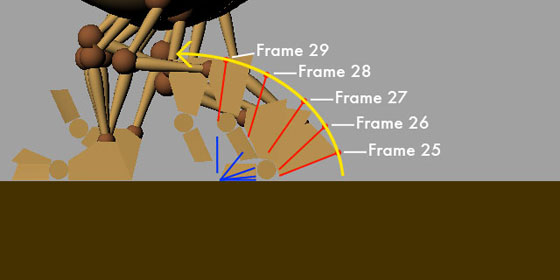
Homework, Class 7
A 2 pose exercise: moving hold to moving hold: making a character feel alive in 3d space is a subtle challenge. This exercise will primarily be about how a character moves from 2 emotion states in a physically convincing manner, paying attention of the speed and intensity of the breakdowns, as well as the appropriate AMOUNT of motion per shot.
The Assigned rig will once again be HOGAN OR BASIC GUY v2.
Anyone that uses Norman will be penalized a full grade. We'll pick up with Norman going forwards.
Saturday, October 9, 2010
survey
Turned this into an anonymous poll to the right....
/////////////////////////////////////////////////////////////////
quick question...how many of you feel you had enough time on the recent assignment?
//addendum
I ask because most of you didn't get as far as I'd hoped. Now that we're about at the halfway mark I'm going to start evaluating doing longer exercises. I'm of two minds on it though...we are going to get into longer exercises...I just want to make sure you feel you're learning from these shorter pieces.
My rationale...shorter pieces force you to make decisions. When I used to have 3 weeks on a cycle, it would get to 60% the first week, then about 65% the second week, then maybe 68% the third week. Whenever I've done a 1 week exercise, they all come in at about 75% right off the bat.
Stay tuned for more syllabus info soon, and let me know your thoughts on how these have been going for you all.
/////////////////////////////////////////////////////////////////
quick question...how many of you feel you had enough time on the recent assignment?
//addendum
I ask because most of you didn't get as far as I'd hoped. Now that we're about at the halfway mark I'm going to start evaluating doing longer exercises. I'm of two minds on it though...we are going to get into longer exercises...I just want to make sure you feel you're learning from these shorter pieces.
My rationale...shorter pieces force you to make decisions. When I used to have 3 weeks on a cycle, it would get to 60% the first week, then about 65% the second week, then maybe 68% the third week. Whenever I've done a 1 week exercise, they all come in at about 75% right off the bat.
Stay tuned for more syllabus info soon, and let me know your thoughts on how these have been going for you all.
Friday, October 8, 2010
Review. Stages of Blocking

Just a quick review of stages of blocking to final. Demo to follow tonight.
Polish Notes...Part 1
Polish 1
He makes the point that the next step from poses to pose to first pass has a general sameness to it.
some general topics for polish
-arcs..smooth and physically accurate
-facial...overlap in posing...make sure you don’t hit each pose in a linear way. let parts overlap to avoid
evenness.
-no two motion lines should have the same arcs...watch this in the wrists in particular
-strengthen poses in main poses as well as breakdowns.
line of action - is it interesting, does it have a good readable curve (concave, convex), is there enough
curve reversal from pose to pose
offsetting
-check for twinning. a frame or 2 offset isn’t generally enough to fix a twinning problem
-find a part to emphasize - have it arrive early or late.
overlap
-avoid that ‘hit and stick’ syndrome
-get the right amount of overlap. too much is soft, too little is sticky.
-does the overlap have believable physics
-is the ease in too linear (breakdown key problem)
energy
-are the feet frozen. consider a weight shift
-does the size of the anticipation match the speed of the reaction.
pacing
-vary the beats to make the scene have an interesting texture.
-vary fast and slow (at least 3 speeds)
-make sure the amount of time per action is plausible
“it’s broken, but i’ll get to it later” - address the most glaring errors first. - otherwise you run the risk of
the ‘wrongness’ seeming right.
-ik pops
-hitches - too much motion in a short timeframe. Use a ghosting tool
-is the overshoot amount right? too much, too little. Is everything in the pose settling at the same time?
-elbow pointing the right way. Settle in the elbow for IK... pose the ik handle and pole vector together,
but be careful of too much motion in the elbow.
More notes....
Good Keys for clarity. Strong poses that read well in silhouette.
Anticipation Action Reaction. To quote Chaplin ‘Show the audience what you are going to do, do it, then
show them you’ve done it.
Overlapping Action.
People ‘unfold’. Lead the action with the head or the hips. Pupils lead the head turns.
Add a breakdown drawing if offsetting it in the graph editor doesn’t give you the desired effect.
Shoulders
Remember the rib cage compresses and expands. Moving the shoulders as part of the performance
can help create this effect. Shoulders are also useful to create a sense of breathing. Use shoulders when raising an arm. Lift the elbow, then wrist, then the shoulder.
Arcs
All the joints move based on rotations, which should naturally give you arcs in the movement -
check them from your final camera, by tracing them using a 2D drawing tool. IK joints are quick to pose,
but you need to do a lot of arc work that you get automatically with FK.
Accents -
Head Body Hands Hit the accents 3-4 frames early.
Hand poses, overlapping the fingers from each other, then overlapping each finger joint. Try to avoid a
feeling of underwater swaying with the overlapping of the fingers, a little overlap can go a long way. Bend
the wrist as part of the hand pose.
Vibrations and Settling
Head Accents to make the characters look like they are talking. Nods and shakes.
Movement in the hips (root node), to give the character a sense of weight
Eye Direction Use the lid rotate controls to change the shape of the eyes, based on eye direction. Eyes
are incredibly flexible in how they change shape as you look around. Be aware of this, and push it to give
the eyes an organic feel. Be aware of how the shape can change from one eye to the other. Try to get
some rhythm into it that is reflected in the brows, cheeks and mouth. If all the parts of the face are not
tied together it can look like a mess.
Eye Blinks
Make sure the eyes close completely on the blinks. You may have to dial out other eye shapes
during the blink. Use half blinks as well as full blinks, like a flutter. Good for eye flick direction changes,
to have something in there. Think about using the lower lids (wink) as well as the upper lids. It’s a decision
based on how the character is emoting, what kind of a blink you’re after. Consider using the brows
subtlety during an eye blink, to tie all the parts of the face together. The rate and rhythm of eye blinks
are part of the personality of the character.
Facial expressions
Change expression before or after a big move to make the character look like they are thinking.Choose a time when the character is fairly still to make the expresssion change. Use Asymmetry and tie all the parts of the face together. Use the jaw and brows to get a sense of squash and stretch .Don’t have everything in the face change at the same time, or it will look mechanical. Play with breakdowns, mouth first, then eyes. Eyes first, then mouth. These things overlap and are offset. Timing of these transitions is important.
Add dirt in the curve for long transitions, like a slow eye brow raise. This is in the final polishing of the scene.
This is perhaps a little premature, but maybe not. Getting your animations into a finished stage is something everyone struggles with. If the core of your animation isn't working (poor posing, timing, sequencing of beats), then you won't be able to build on top of it properly, and any fluidity you add may not save what's there. That being said...here's a summary of some polish notes partially derived from Keith Lango
He makes the point that the next step from poses to pose to first pass has a general sameness to it.
some general topics for polish
-arcs..smooth and physically accurate
-facial...overlap in posing...make sure you don’t hit each pose in a linear way. let parts overlap to avoid
evenness.
-no two motion lines should have the same arcs...watch this in the wrists in particular
-strengthen poses in main poses as well as breakdowns.
line of action - is it interesting, does it have a good readable curve (concave, convex), is there enough
curve reversal from pose to pose
offsetting
-check for twinning. a frame or 2 offset isn’t generally enough to fix a twinning problem
-find a part to emphasize - have it arrive early or late.
overlap
-avoid that ‘hit and stick’ syndrome
-get the right amount of overlap. too much is soft, too little is sticky.
-does the overlap have believable physics
-is the ease in too linear (breakdown key problem)
energy
-are the feet frozen. consider a weight shift
-does the size of the anticipation match the speed of the reaction.
pacing
-vary the beats to make the scene have an interesting texture.
-vary fast and slow (at least 3 speeds)
-make sure the amount of time per action is plausible
“it’s broken, but i’ll get to it later” - address the most glaring errors first. - otherwise you run the risk of
the ‘wrongness’ seeming right.
-ik pops
-hitches - too much motion in a short timeframe. Use a ghosting tool
-is the overshoot amount right? too much, too little. Is everything in the pose settling at the same time?
-elbow pointing the right way. Settle in the elbow for IK... pose the ik handle and pole vector together,
but be careful of too much motion in the elbow.
More notes....
Good Keys for clarity. Strong poses that read well in silhouette.
Anticipation Action Reaction. To quote Chaplin ‘Show the audience what you are going to do, do it, then
show them you’ve done it.
Overlapping Action.
People ‘unfold’. Lead the action with the head or the hips. Pupils lead the head turns.
Add a breakdown drawing if offsetting it in the graph editor doesn’t give you the desired effect.
Shoulders
Remember the rib cage compresses and expands. Moving the shoulders as part of the performance
can help create this effect. Shoulders are also useful to create a sense of breathing. Use shoulders when raising an arm. Lift the elbow, then wrist, then the shoulder.
Arcs
All the joints move based on rotations, which should naturally give you arcs in the movement -
check them from your final camera, by tracing them using a 2D drawing tool. IK joints are quick to pose,
but you need to do a lot of arc work that you get automatically with FK.
Accents -
Head Body Hands Hit the accents 3-4 frames early.
Hand poses, overlapping the fingers from each other, then overlapping each finger joint. Try to avoid a
feeling of underwater swaying with the overlapping of the fingers, a little overlap can go a long way. Bend
the wrist as part of the hand pose.
Vibrations and Settling
Head Accents to make the characters look like they are talking. Nods and shakes.
Movement in the hips (root node), to give the character a sense of weight
Eye Direction Use the lid rotate controls to change the shape of the eyes, based on eye direction. Eyes
are incredibly flexible in how they change shape as you look around. Be aware of this, and push it to give
the eyes an organic feel. Be aware of how the shape can change from one eye to the other. Try to get
some rhythm into it that is reflected in the brows, cheeks and mouth. If all the parts of the face are not
tied together it can look like a mess.
Eye Blinks
Make sure the eyes close completely on the blinks. You may have to dial out other eye shapes
during the blink. Use half blinks as well as full blinks, like a flutter. Good for eye flick direction changes,
to have something in there. Think about using the lower lids (wink) as well as the upper lids. It’s a decision
based on how the character is emoting, what kind of a blink you’re after. Consider using the brows
subtlety during an eye blink, to tie all the parts of the face together. The rate and rhythm of eye blinks
are part of the personality of the character.
Facial expressions
Change expression before or after a big move to make the character look like they are thinking.Choose a time when the character is fairly still to make the expresssion change. Use Asymmetry and tie all the parts of the face together. Use the jaw and brows to get a sense of squash and stretch .Don’t have everything in the face change at the same time, or it will look mechanical. Play with breakdowns, mouth first, then eyes. Eyes first, then mouth. These things overlap and are offset. Timing of these transitions is important.
Add dirt in the curve for long transitions, like a slow eye brow raise. This is in the final polishing of the scene.
Critique please!
I changed the walk cycle style to rock movement which can show Risky's style, does that count as a walk cycle? And critique please, is the weight transition correct?
Thursday, October 7, 2010
This weeks corrections
I took the reference out of the background and I feel that the animation suffered this week for it. My timing got all screwed up. I think I will need a little more information on how to use references properly. Any suggestions before this next class?
Wednesday, October 6, 2010
Homework, Class 6
for sake of Clarity...
Due Class 6
Second/Final Pass at weight shift exercise. Have a Fixed Camera with 16x9 dimensions.
For those of you that are struggling with the acting at the expense of weight mechanics, shorten your pieces to have a POLISHED turnaround. Really the goal of this assignment is to have good weight so that you can use those principles IN your acting pieces. For those that are struggling, shoot reference!!! Even now...act out your scene from your blocking. Everyone that used reference last night completely nailed their posing, and the discussions were all about the speed of transitions, mechanics of weight and some technical issues with animation.
Also, you are more than welcome to turn in revisions to older work at any point in the term for additional credit or boosts to your grades.
[also: For those that don't spend much time on their assignments and furtively work on them in the back row, I do notice, and the work generally suffers from a lack of planning.]
Just to give you a heads up, we're going to do move on to a shorter piece in class 7 - a 1 week assignment before moving onto something longer.
A 2 pose exercise: moving hold to moving hold: making a character feel alive in 3d space is a subtle challenge. This exercise will primarily be about how a character moves from 2 emotion states in a physically convincing manner, paying attention of the speed and intensity of the breakdowns, as well as the appropriate AMOUNT of motion per shot.The Assigned rig will once again be HOGAN. Anyone that uses Norman will be penalized a full grade.
Tuesday, October 5, 2010
First draft of Weight Shift exercise
This is my first draft of weight shift exercise. Hogan is not a easy guy.....anyway
I think I have lots of problem for better off but I want to show it for a good advice.
I will get the hang of it with your advice thanks guys!~
Front side view is used for rendering.
see you in class Tuesday
I think I have lots of problem for better off but I want to show it for a good advice.
I will get the hang of it with your advice thanks guys!~
Front side view is used for rendering.
see you in class Tuesday
Weight Shift Exercise
Hogan does have unusually long limbs! This is my first pass or I might say half-th pass because I'm pretty sure I'll be deleting the run and re-doing it. I was trying a Hanna - Barbera take but at this point of time I can see it is not working. I'm not sure if I can make it work but I wish to!
Any comments would be helpful!
The dropbox link
Friday, October 1, 2010
Walk References
Sorry I'm a little late in posting these videos but better late than never! I found these videos while I was browsing through vimeo. I think an animation student made these videos for his reference.
ref_walk_arms_side_01 from maxloegler on Vimeo.
ref_walk_foot_front_01 from maxloegler on Vimeo.
ref_walk_foot_side_01_a_01 from maxloegler on Vimeo.
ref_walk_foot_side_01_a_02 from maxloegler on Vimeo.
ref_walk_foot_side_01_a_03 from maxloegler on Vimeo.
Subscribe to:
Posts (Atom)